Make a Payment
In this article
Make a Payment
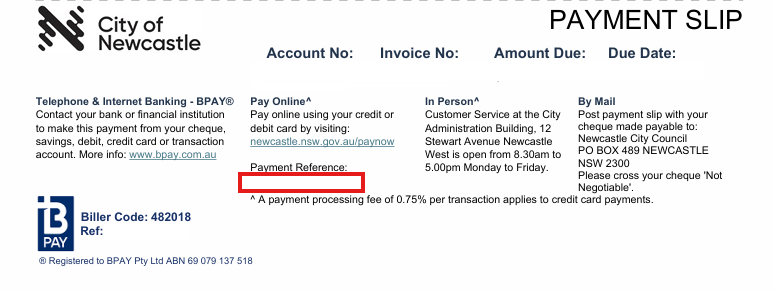
You can pay for your invoices and services securely here, including application fees and other issued invoices. Your payment reference number can be found on your invoice. A 0.75% surcharge applies to credit card payments.
Pay Now
Enter your payment reference number (found on your invoice), then press Enter to make a secure payment.
Payments will be displayed here
Example invoice
Paying an older invoice?
If your invoice was issued before 29 January 2026, you can use this payment option to finalise your account. Simply enter the online payment reference number shown on your invoice to view and pay any outstanding charges.
Pay my rates
Thank you for providing feedback.
We will use this information to improve this page.